WordPress Plugin
Your schema, in the HTML crawlers actually read
Baseline Connector writes your schema.org JSON-LD into the page <head> server-side, before anything reaches the browser. AI crawlers do not run JavaScript, so markup added by a script is invisible to them. This makes it visible.

A crawler reads the HTML your server returned, and moves on
GPTBot, ClaudeBot, PerplexityBot and Google-Extended do not execute JavaScript. Schema injected by a tag manager or a client-side script is not there when they look. That is the entire problem this plugin solves - it hooks wp_head and puts the markup in the raw response.
A thin reflector. Baseline generates and stores your schema; the plugin fetches it per URL and writes it into the page. No schema logic lives on your server.
Every visitor gets byte-identical output, human or bot. There is no user-agent branch anywhere in what the plugin emits, and an automated test drives it with both to prove it.
If Baseline is unreachable or has nothing for a page, the plugin emits nothing and the page renders untouched. It also keeps a last-known-good copy to serve through a brief outage.
Each page's schema is cached for 12-24 hours, so a warm page load does no network work at all. A cache miss costs one request capped at two seconds.
Optionally reports which AI bots requested which pages, so your dashboard shows real crawler traffic. User agent, path, status and time - no IP addresses, nothing about your human visitors.
If we are unreachable, or we have no schema for a page yet, the plugin emits nothing and the page renders exactly as it would without it. It never blocks a render and never breaks a layout.
Install it, step by step
Five steps, about two minutes. Your API key and a live check that it all worked are both on this page.
-
Find it in WordPressIn your WordPress admin, go to Plugins → Add New Plugin and search for Baseline Labs Connector. Free, no plan required.
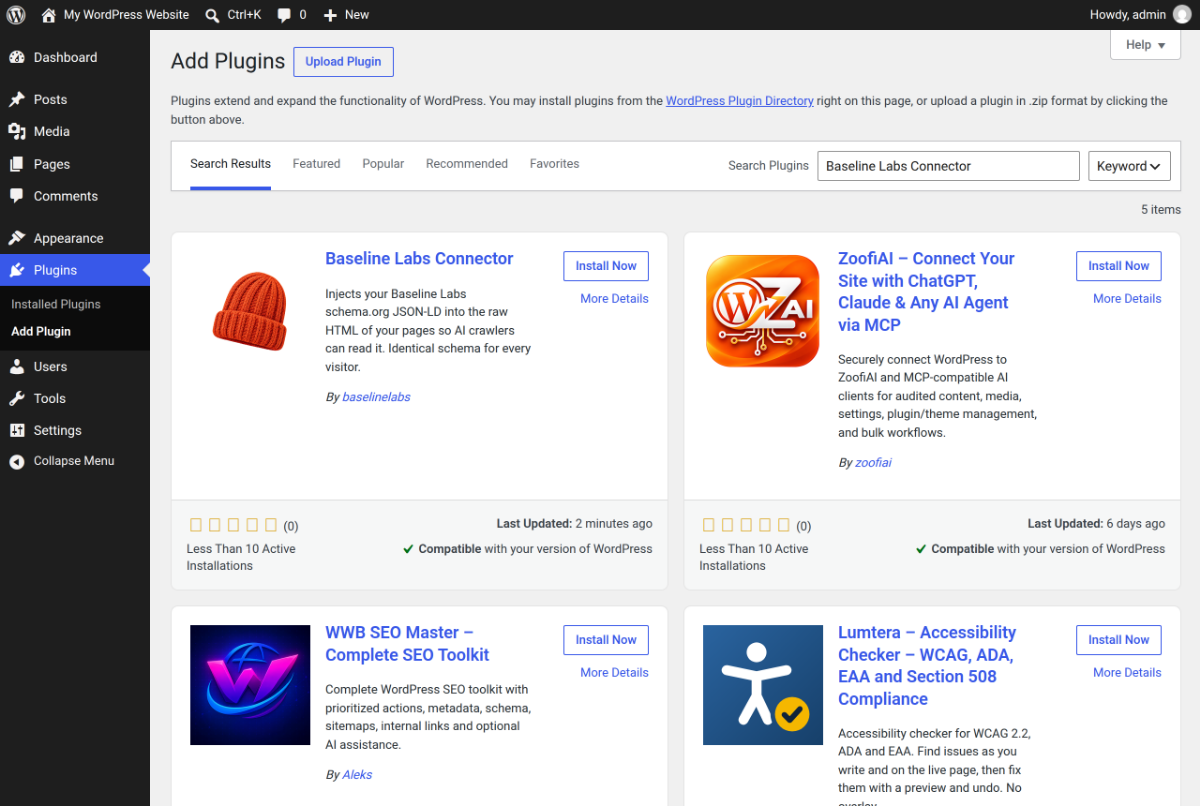 Plugins → Add New Plugin, then search for Baseline Labs Connector.
Cannot install from the directory? Download the zip and use Upload Plugin on the same screen instead.
-
Install and activate itClick Install Now on the Baseline Labs Connector card. When the button turns into Activate, click it.
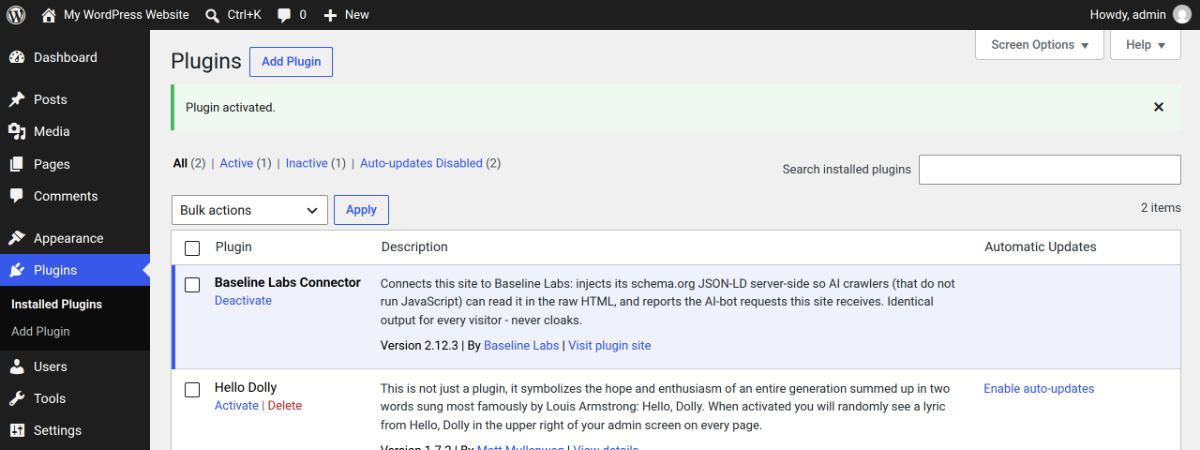 "Plugin activated." - Baseline Labs Connector now shows in your plugins list.
 -
Get your API keyThe plugin authenticates to Baseline with an API key from your account. Generate one right here - it is shown once, so paste it straight into WordPress.
-
Paste the key and connectIn WordPress, go to Settings → Baseline Connector, paste your key into the Baseline API key field, and click Save settings.
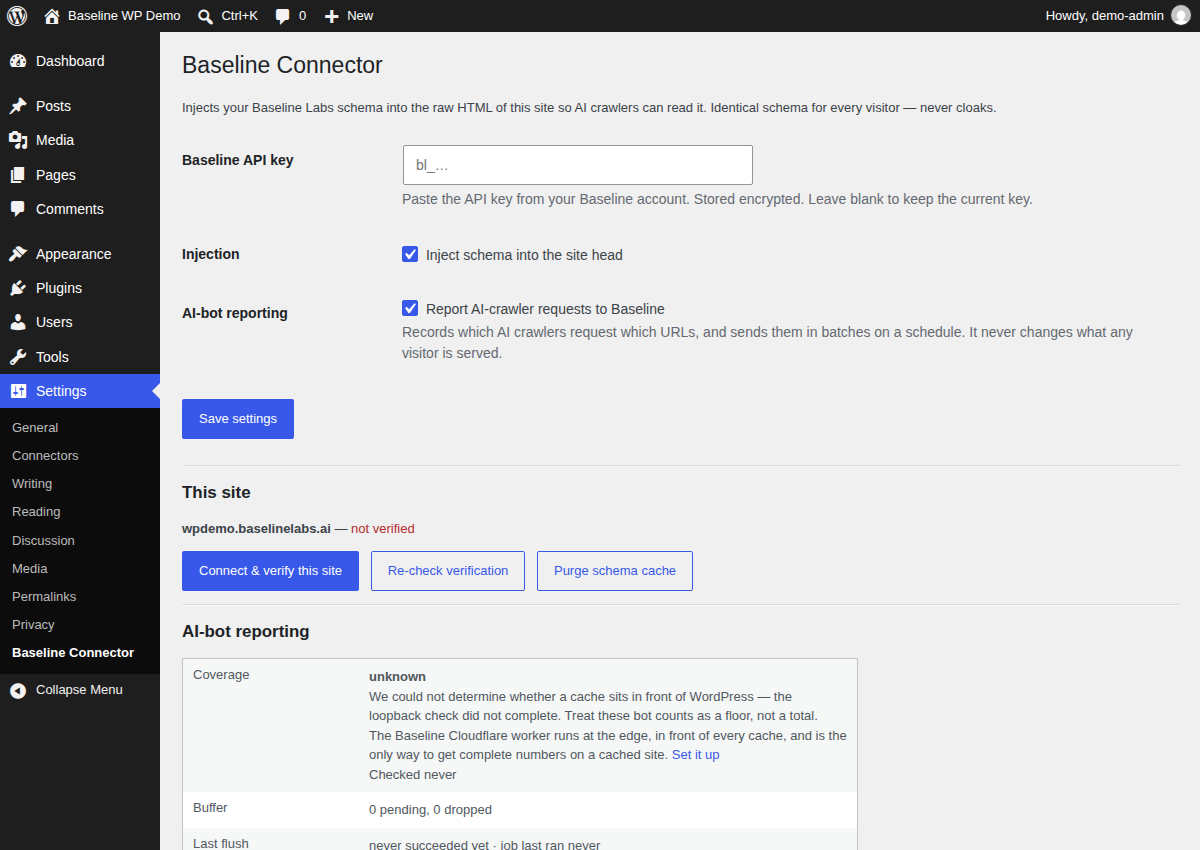 Settings → Baseline Connector - key field, injection and reporting toggles.Then click Connect & verify this site. The plugin registers your domain, emits the ownership meta tag and verifies itself - no DNS record, no file upload.
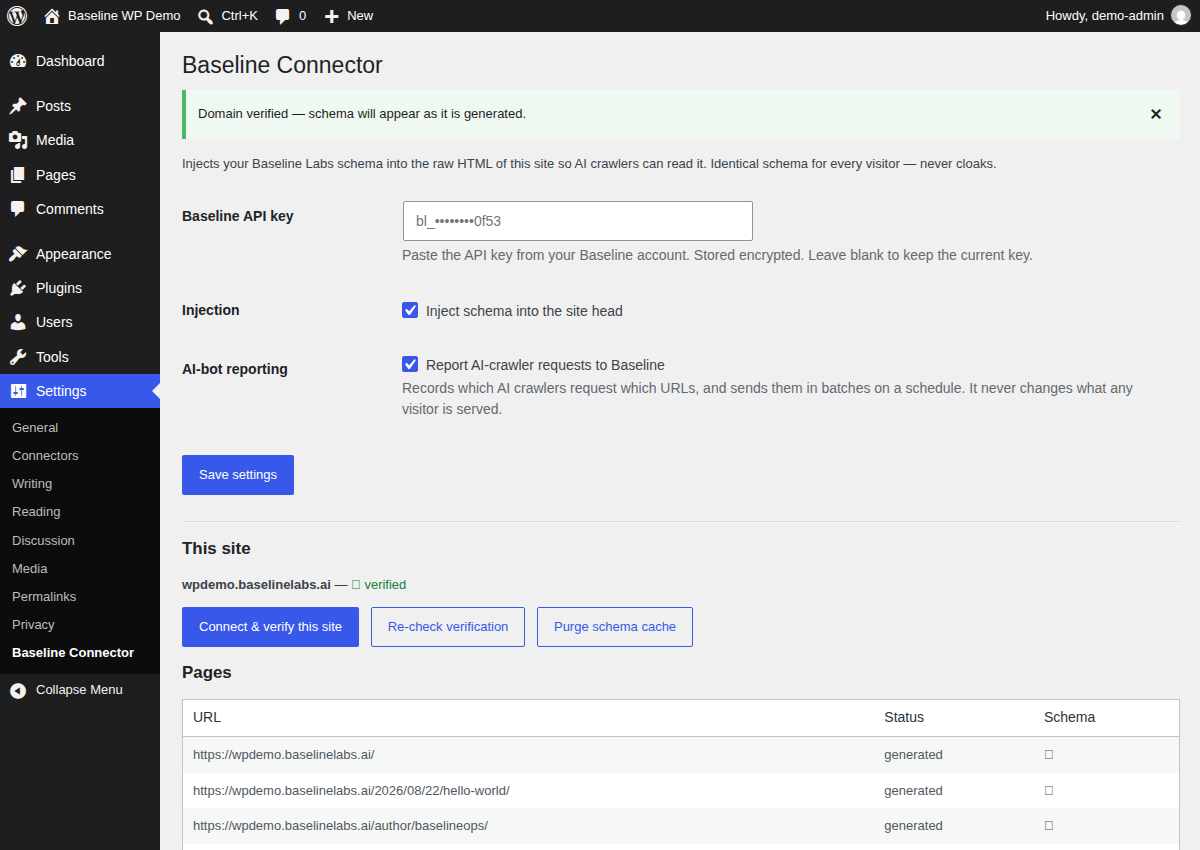 Verified - the Pages table lists each URL and whether it carries schema yet.
 -
Check it from our sideThe settings screen says what the plugin sent. This says what actually reached Baseline - the answer that counts, for the site named at the top of this walkthrough.
baseline-channel. If that meta tag is in the raw HTML, crawlers can see everything the plugin emits.Two things this plugin will tell you that it could hide
What you need
| Account | A free Baseline Labs account and an API key. Sign up - no card. |
|---|---|
| Free plan | One site, with your main pages generated, injected and kept up to date automatically. |
| Paid plans | More sites, your whole sitemap rather than the first few pages, and a faster refresh band. See pricing. |
| WordPress | 6.0 or later. |
| PHP | 7.4 or later. Install the libsodium extension if you want your API key encrypted rather than obfuscated at rest. |
| Cron | Only needed for AI-crawler reporting. If DISABLE_WP_CRON is set, point a real cron entry at wp cron event run --due-now - the plugin warns you when this is the case. |
| Licence | GPLv2 or later. |
There are two other ways in
The plugin is one of three channels. They deliver the same schema and report the same crawler traffic - pick whichever matches your stack, and they run together happily.
Make your WordPress site machine-readable
Free for one site. Install the plugin, paste a key, and stop being invisible to the systems answering questions about you.
